Setup tutorial
How to set up cart recovery on Shopify
Follow this walkthrough to install Vebigo Abandoned Cart Recovery, enable lead capture at add-to-cart, and start recovering revenue from carts that never reach checkout.
App home
Monitor growth and manage modules from one dashboard.
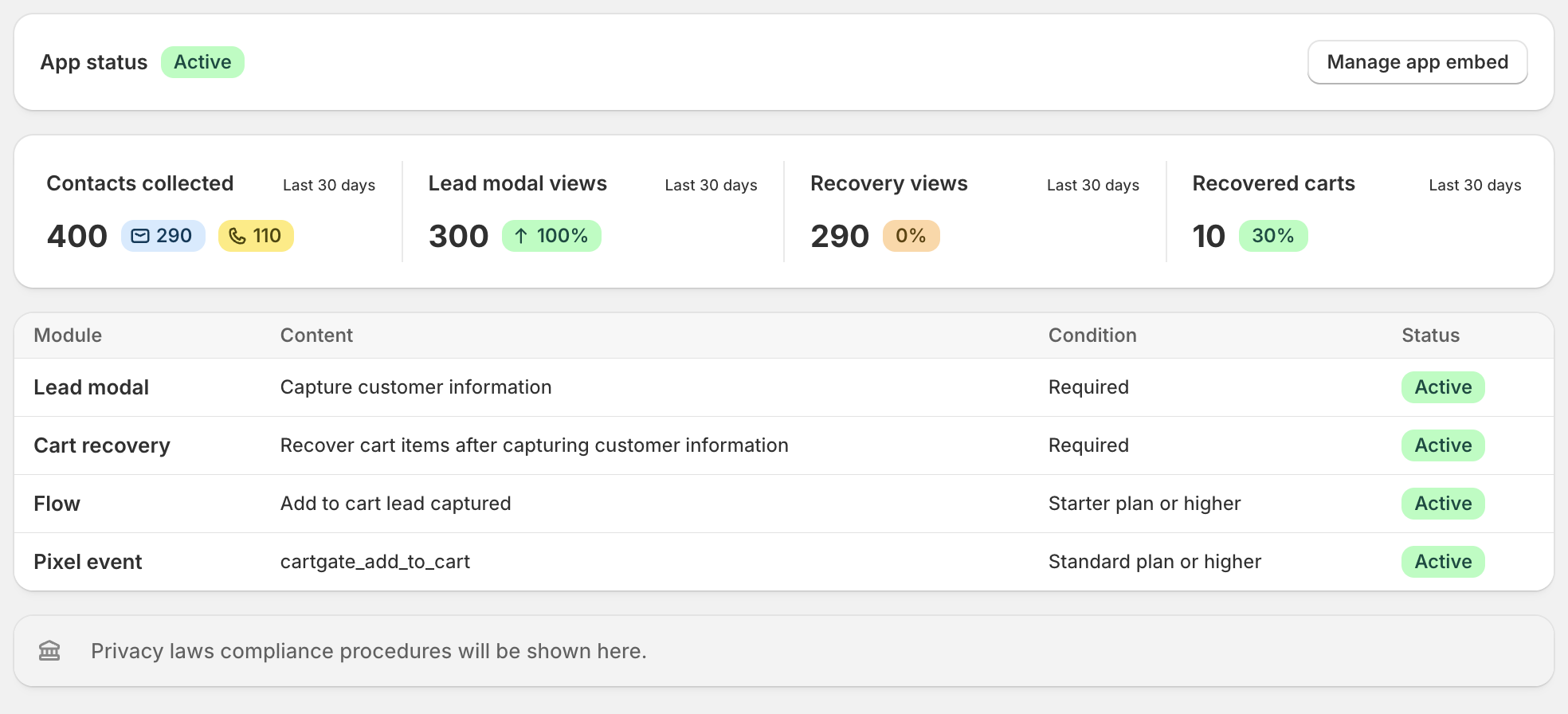
After installing, confirm the app embed is active and review your last 30 days of contacts collected, lead modal views, recovery views, and recovered carts. Enable lead modal, cart recovery, Flow triggers, and pixel events from a single overview—each module shows its plan requirement and status at a glance.
Lead modal
Capture contact details at add-to-cart with copy that converts.
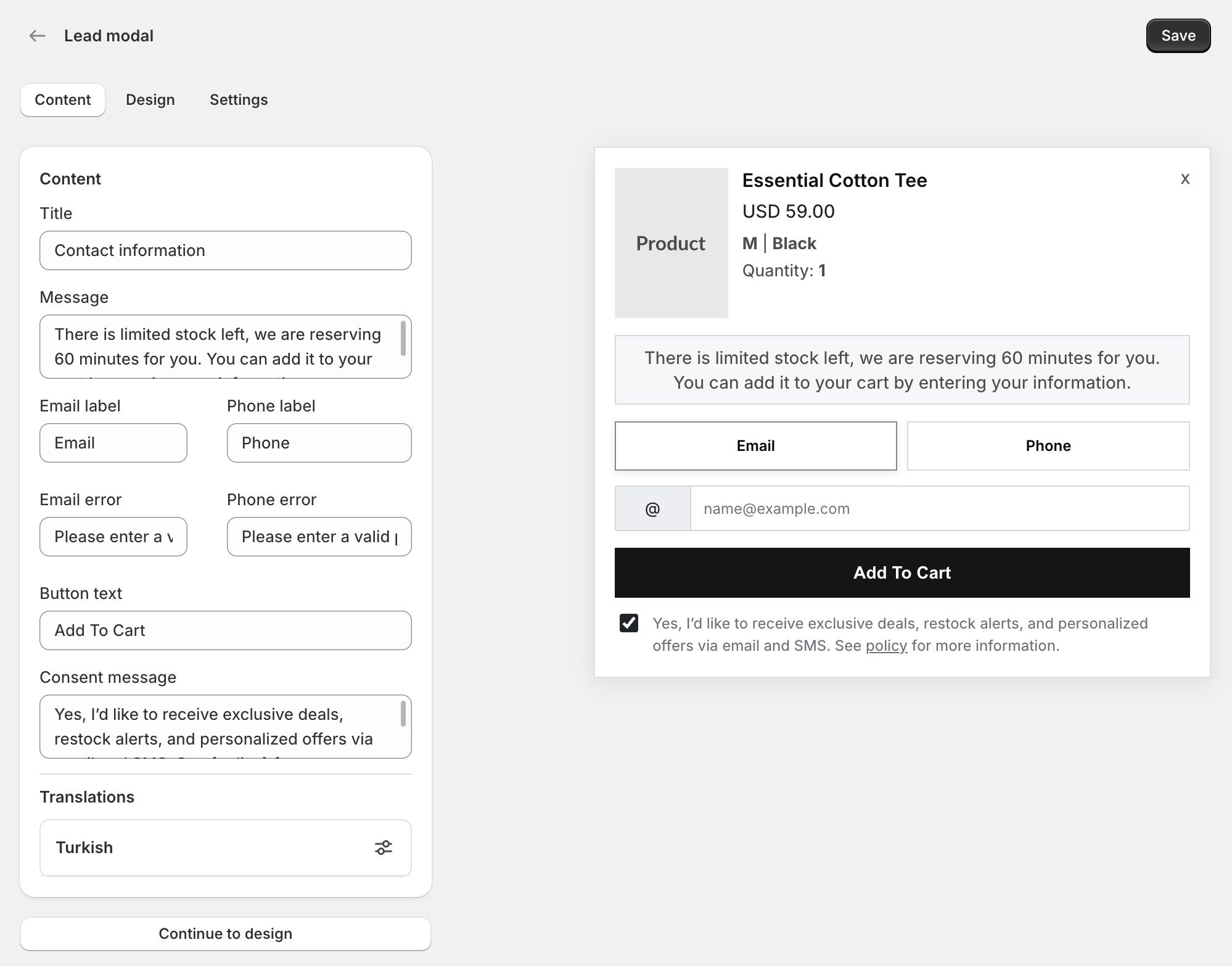
Customize the modal title, urgency message, email and phone labels, button text, and marketing consent copy. Preview changes instantly on the right as you edit—then save and publish to start collecting leads before shoppers reach checkout.
Lead modal design
Match your storefront with layout, colors, and typography.
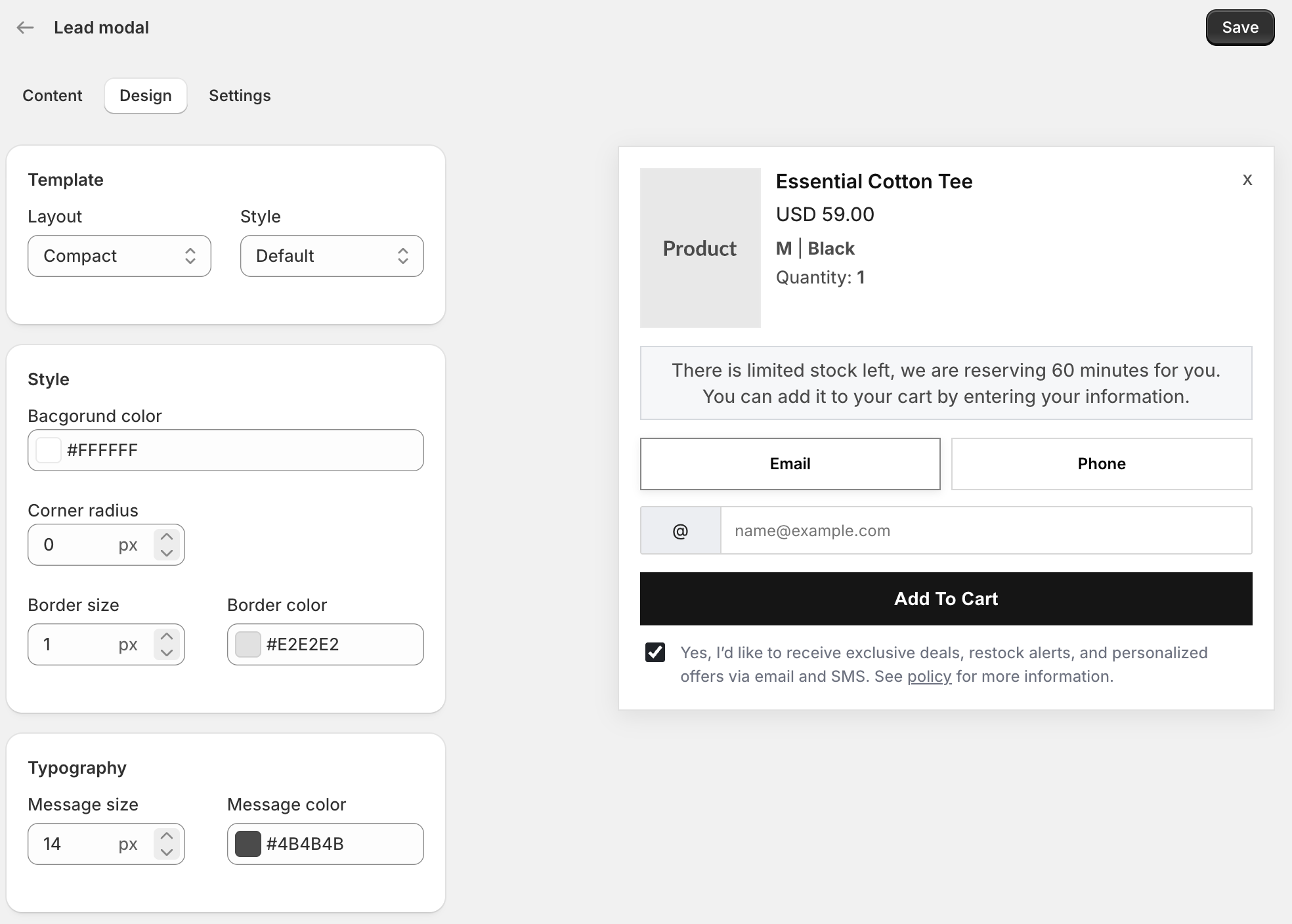
Switch between compact and default layouts, set background and border colors, adjust corner radius, and fine-tune message size and color. Every design change updates the live preview so your lead modal feels native to your theme.
Capture leads
Collect email or phone the moment a shopper adds to cart.
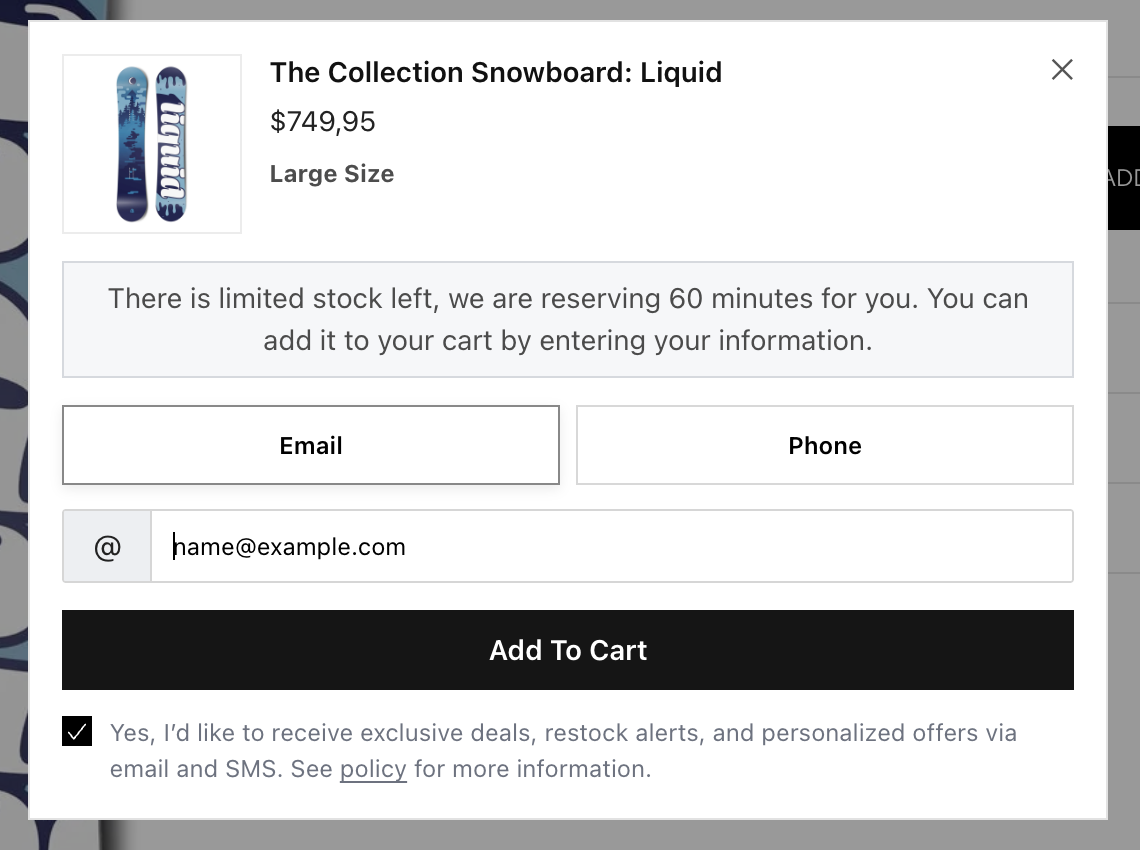
When a visitor clicks Add to cart, the lead modal opens with product context, an urgency message, and a choice of email or phone. Shoppers submit their details to continue—turning anonymous sessions into contacts you can reach before they leave. Marketing consent can be collected in the same step for compliant follow-up.
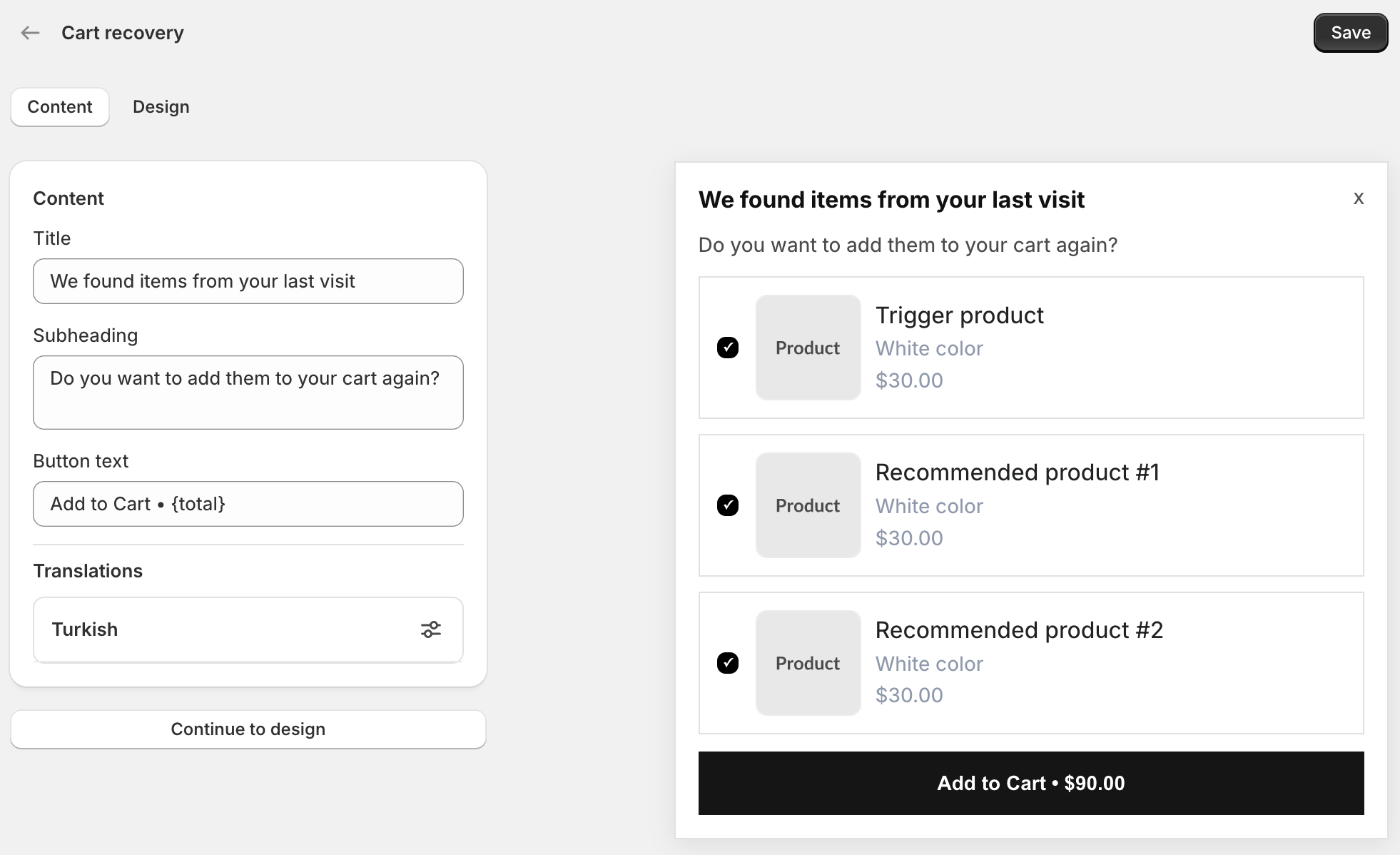
Cart recovery
Welcome returning visitors and restore their cart in one click.
Edit the recovery title, subheading, and button text—including dynamic totals with {total}. Shoppers see items from their last visit with checkboxes to pick what goes back into the cart. Add translations per locale and continue to design when your messaging is ready.
Recover carts
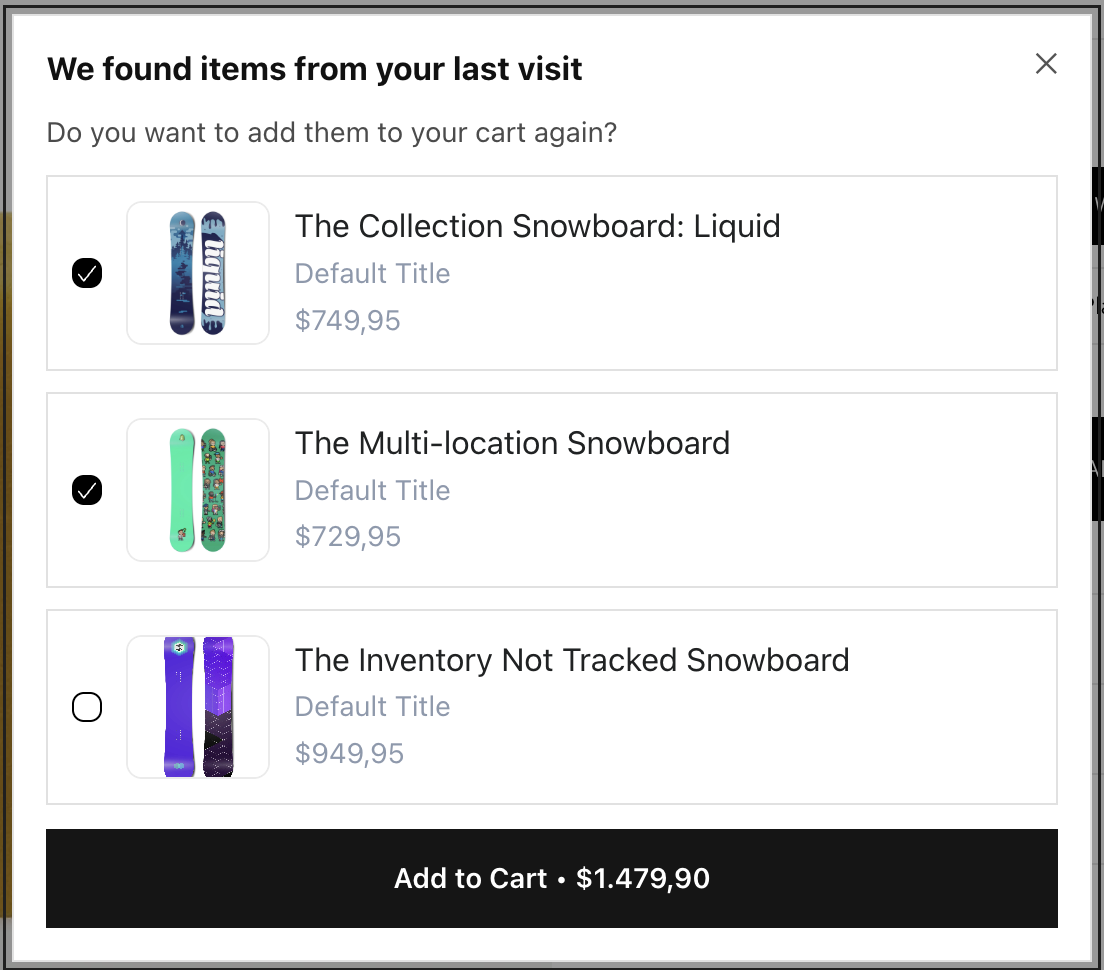
Bring returning visitors back with the items they left behind.
When a known customer returns, the recovery modal lists products from their previous session with checkboxes to select what goes back into the cart. The Add to cart button shows a live total for selected items—one click restores their basket and picks up where they left off, without starting checkout from scratch.
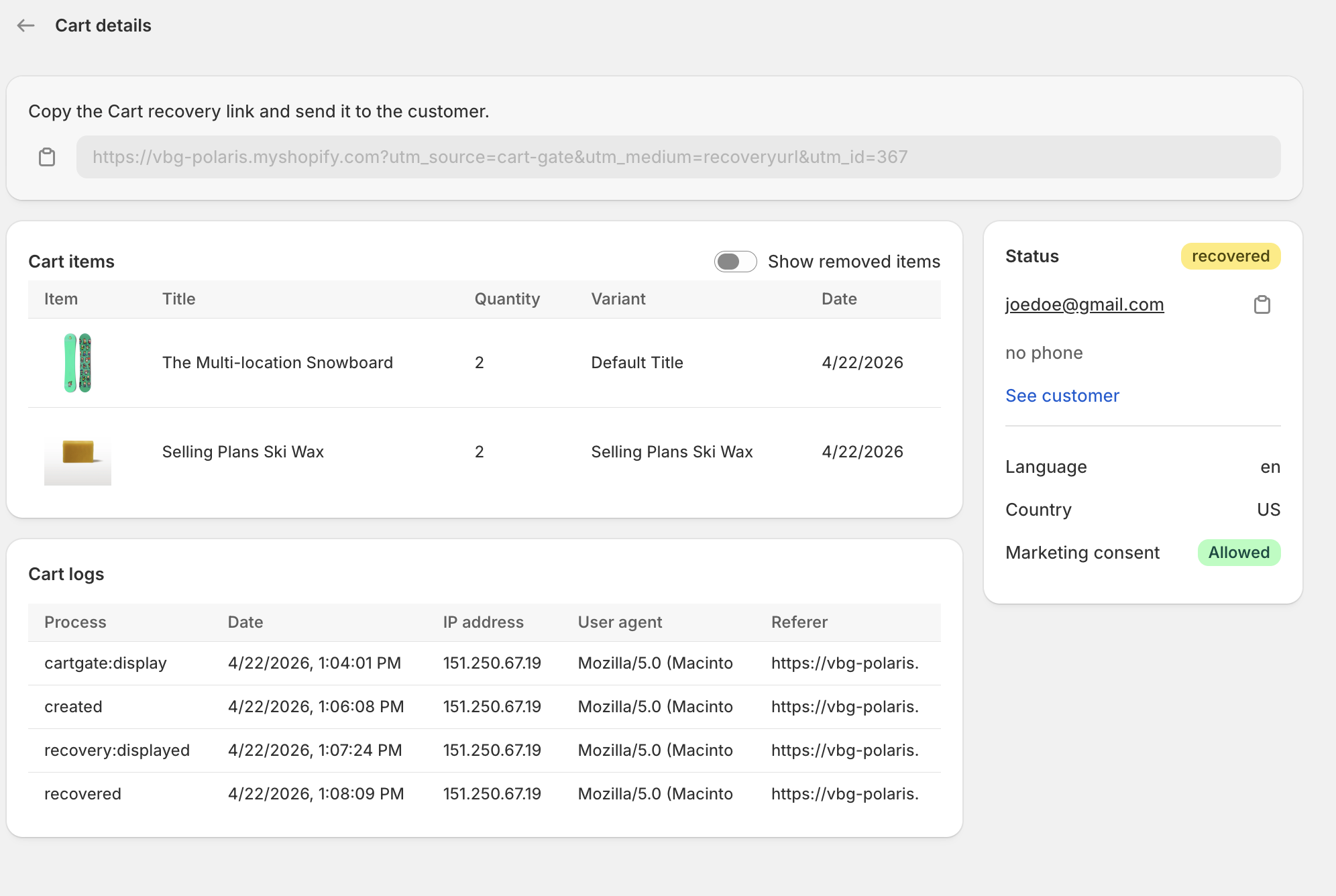
Cart recovery dashboard
Track every cart, log every touchpoint, and recover with one link.
After setup, open any abandoned cart to see line items, removed products, customer details, and a full activity timeline—from first display to recovered sale. Copy a personalized recovery link and send it by email or SMS, or let automated flows handle outreach for you.
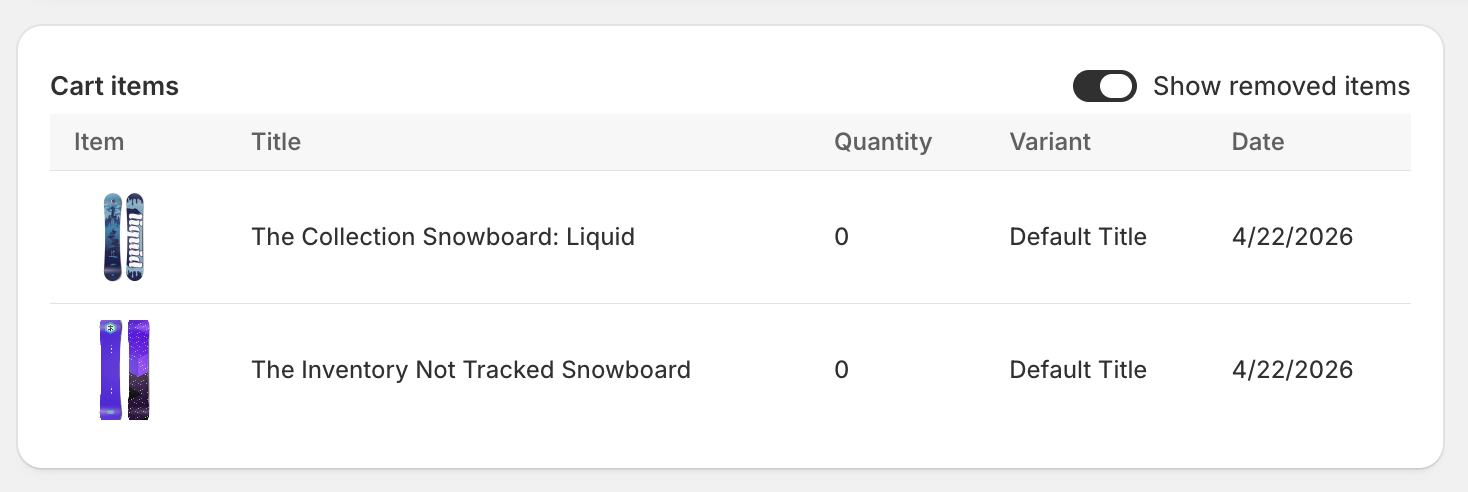
Removed cart items
See exactly what shoppers took out before they abandoned.
On any cart detail page, toggle Show removed items to reveal products the customer deleted from their basket—along with variant, quantity, and date. Spot patterns like price sensitivity or variant confusion early, and use those insights to refine recovery messaging or fix friction on your storefront.
Customer sync
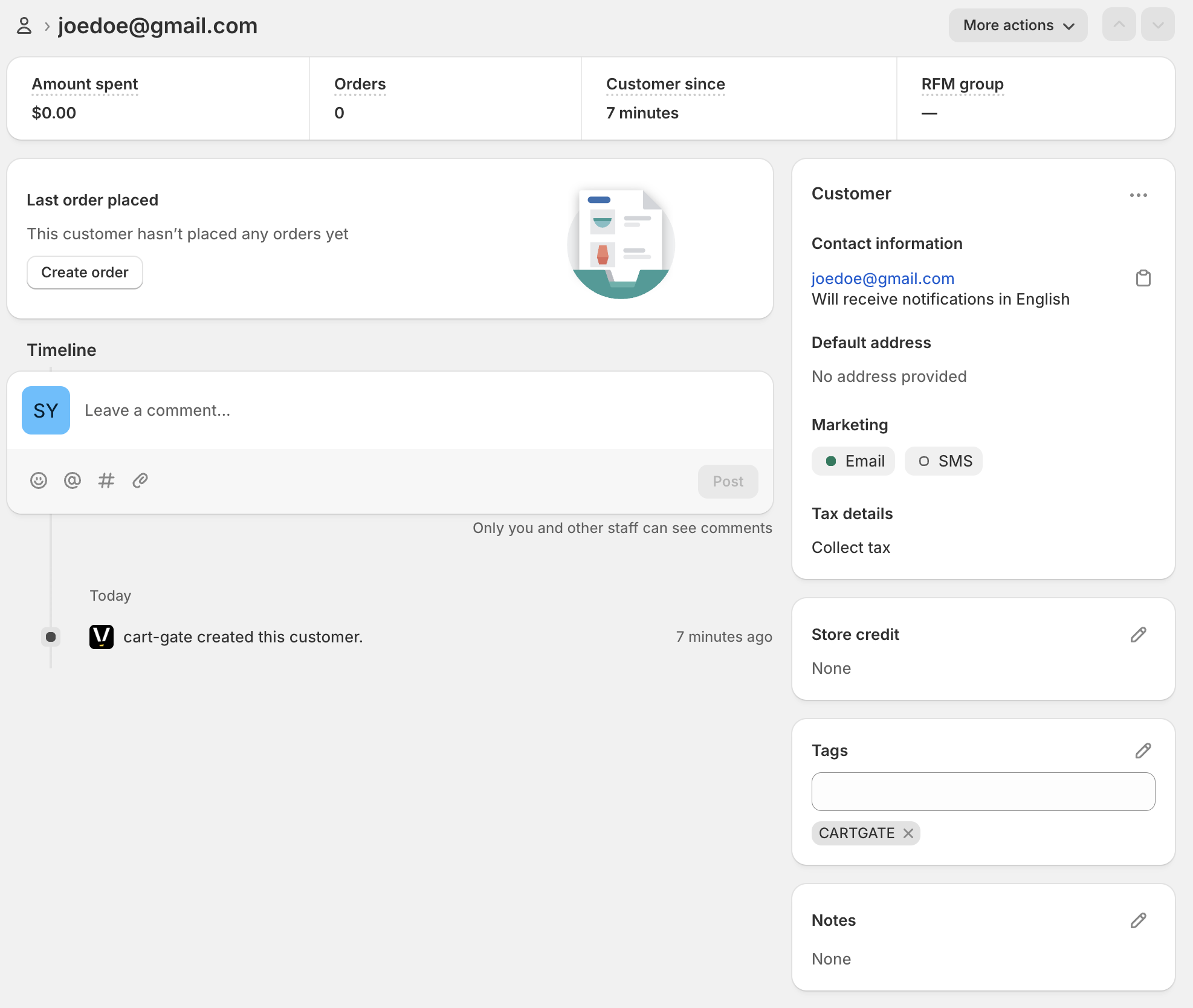
Every captured lead becomes a Shopify customer—tagged and ready to segment.
When a shopper submits the lead modal, Cart Recovery syncs their profile to Shopify automatically. The customer timeline shows when the record was created, and a CARTGATE tag is applied so you can build segments, email lists, and Flow automations for leads captured at add-to-cart—without manual imports or duplicate data entry.
Shopify Flow
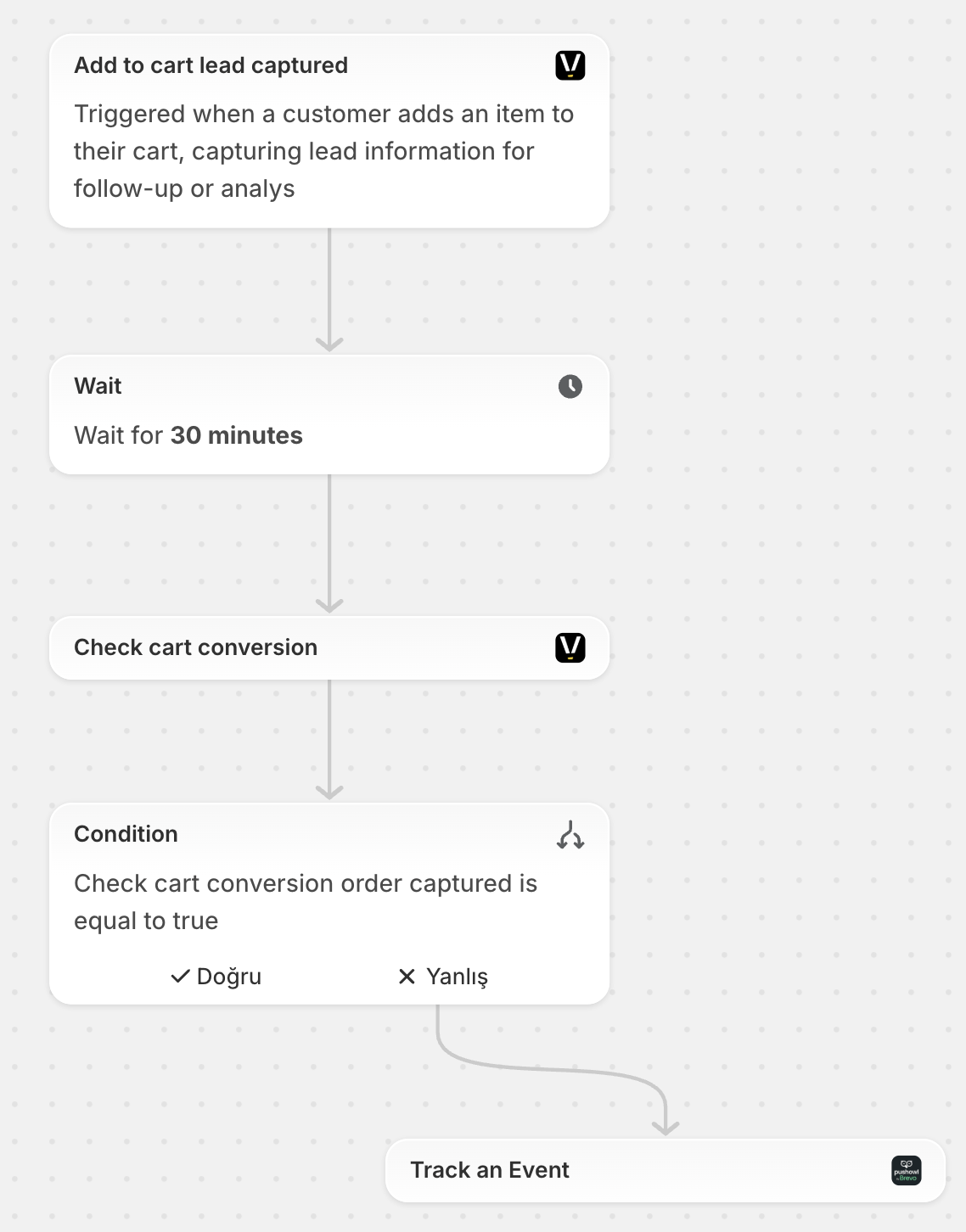
Use ready-made templates to win customers back automatically.
Start from Cart Recovery Flow templates in Shopify—trigger on Add to cart lead captured, wait for a set interval, then check whether the cart converted to an order. If not, send a recovery event to Brevo, Klaviyo, or your marketing stack. Capture the lead once, then let Flow follow up so you reach shoppers again without manual outreach.