Setup tutorial
How to create a lookbook with upsell on Shopify
Follow this walkthrough to install Lookbook Upsell, pair hero products with supporting items, publish shoppable outfits on your storefront, and reward shoppers who buy the full look.
Build complete looks
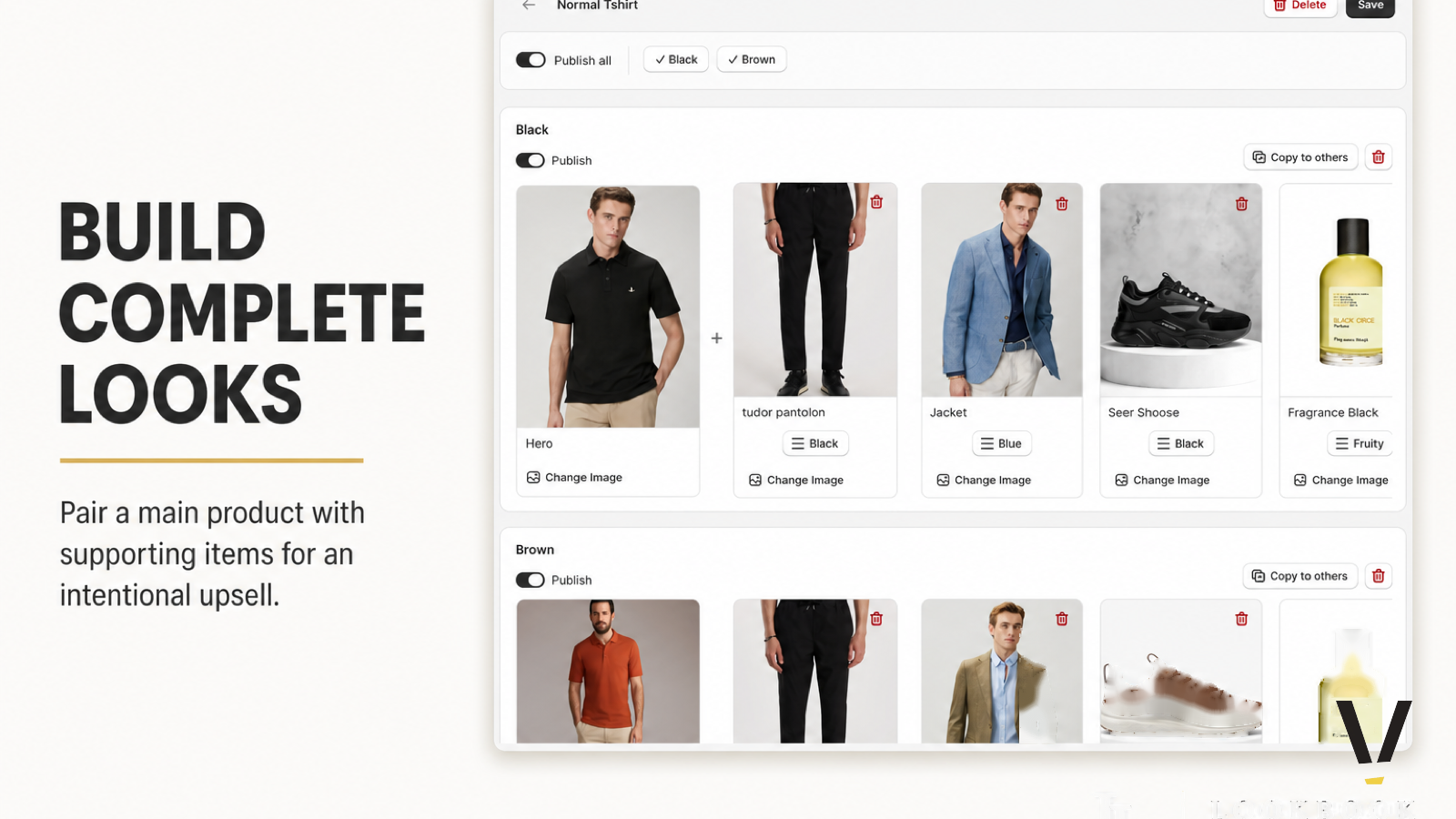
Pair a hero product with supporting items for an intentional upsell.
Open any product and build a lookbook by linking a hero piece to complementary items—pants, jackets, shoes, and accessories. Create separate outfits per variant, publish individually or all at once, and copy looks across colorways to scale merchandising faster.
Manage lookbooks
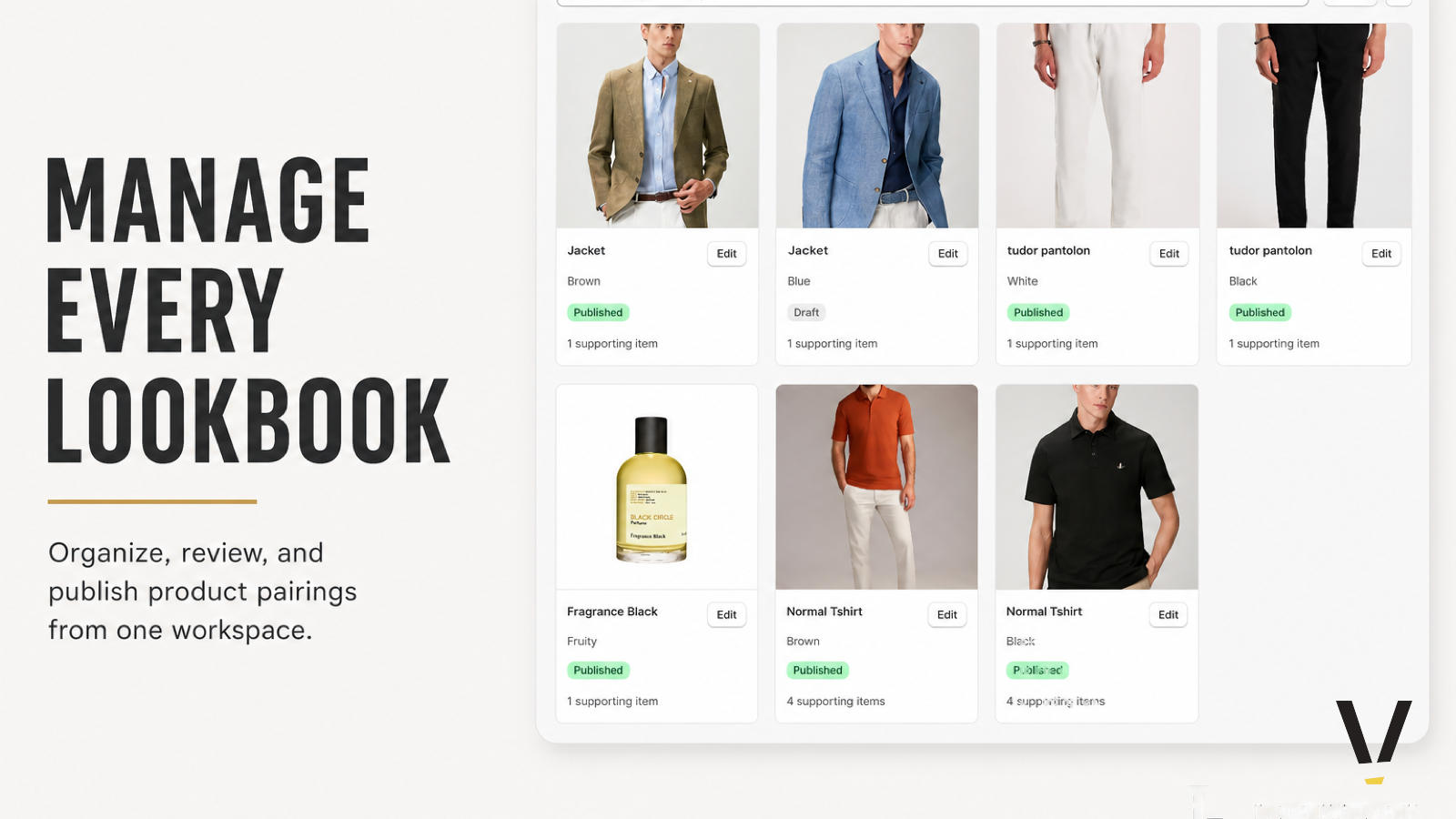
See every lookbook, publish status, and supporting-item count at a glance.
From the home dashboard, search products, filter by publish state, and jump into any lookbook editor. Track how many supporting items each product has configured and keep your catalog organized as you scale from one showcase to hundreds of shoppable outfits.
Tiered discounts
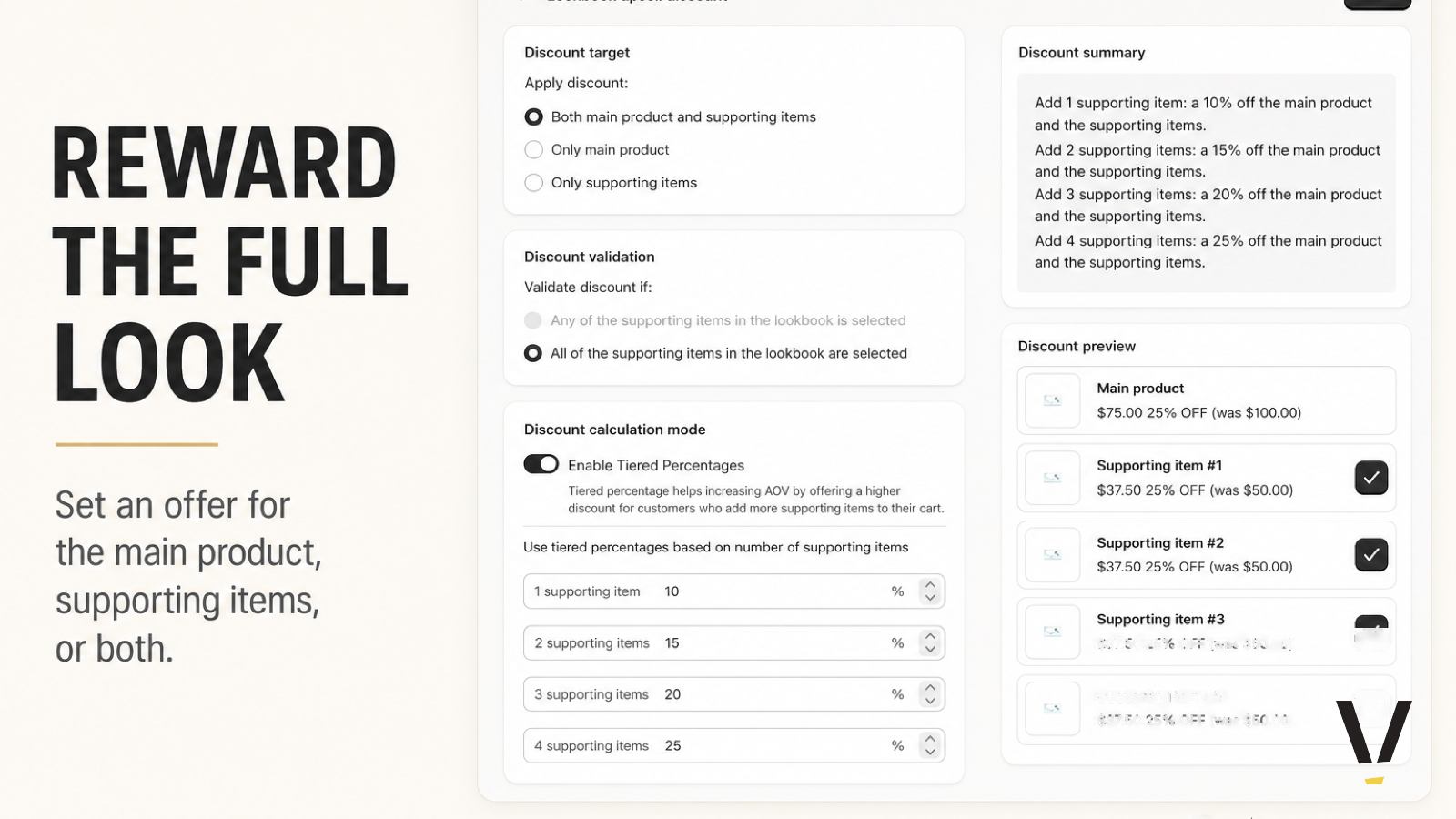
Reward the full look with offers on the hero, supporting items, or both.
Set discount targets for the main product, supporting items, or both—and choose whether all supporting items must be selected to qualify. Enable tiered percentages so shoppers earn a higher discount as they add more pieces from the lookbook, with a live summary and price preview before you publish.
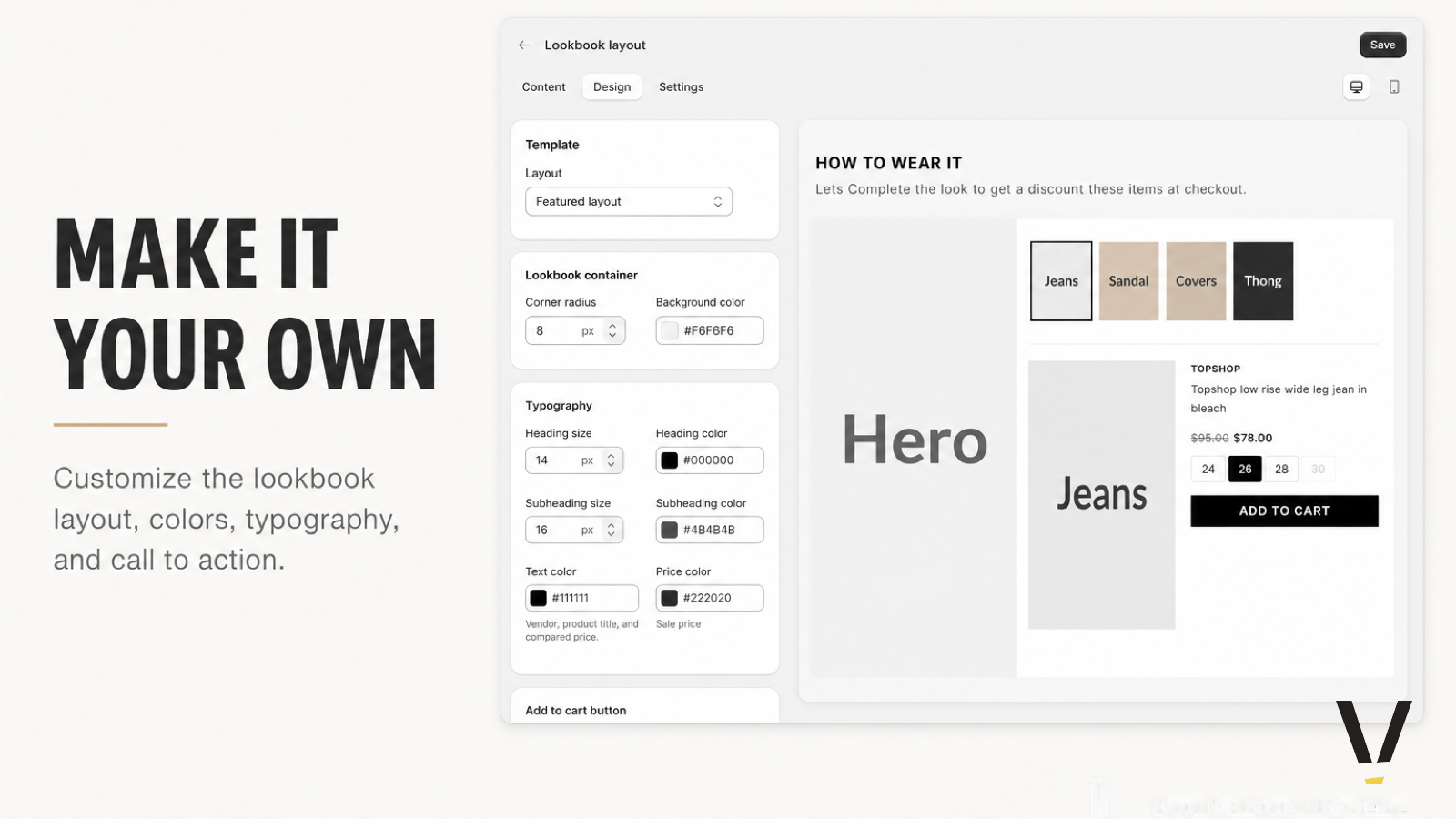
Customize layout
Tune typography, colors, and container styling without code.
Adjust headings, buttons, spacing, and color tokens from a visual editor with a live storefront preview. Localize copy per locale so your lookbook block feels native on every market—and match your theme without touching Liquid or deploying custom assets.
Storefront experience
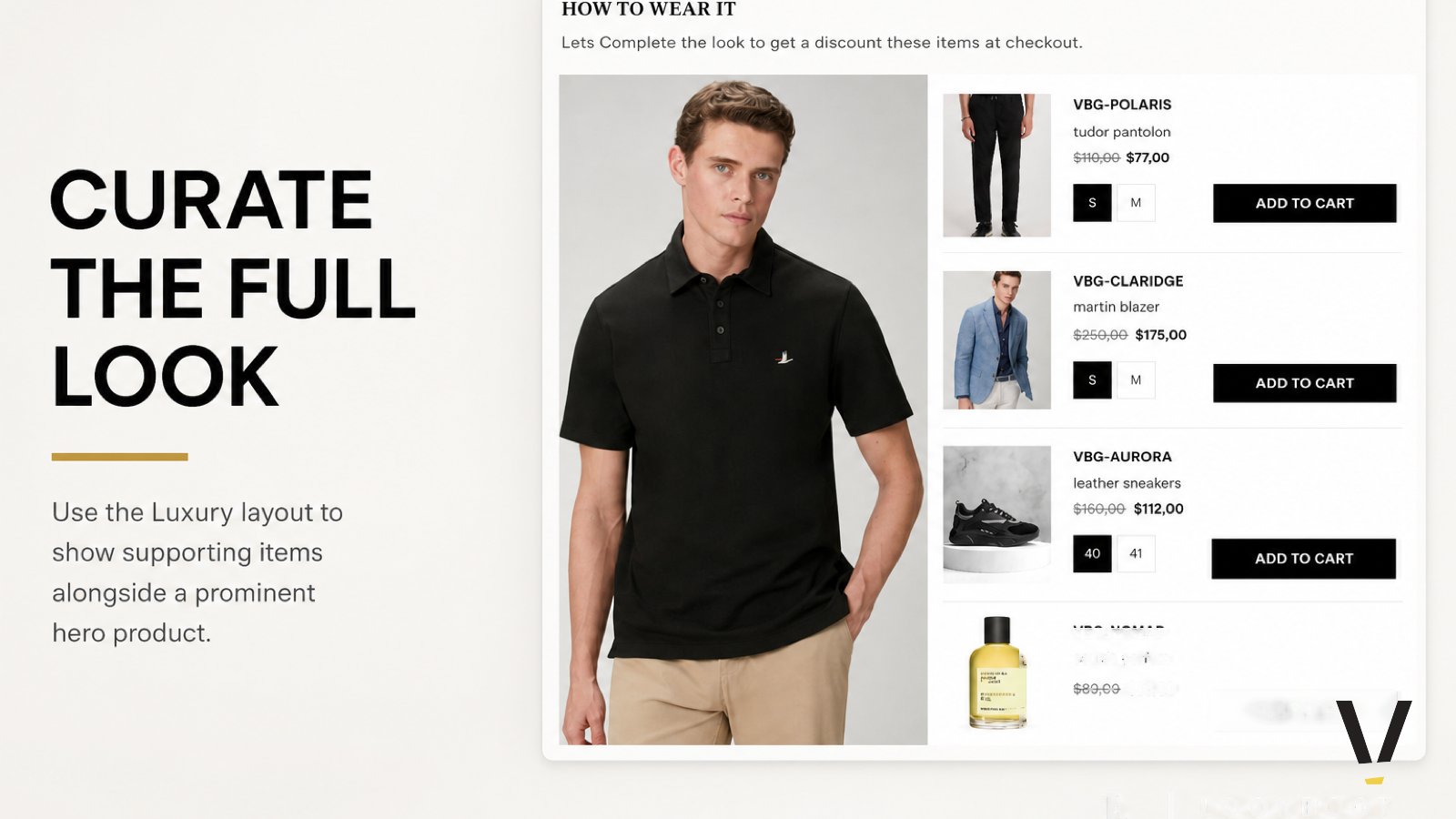
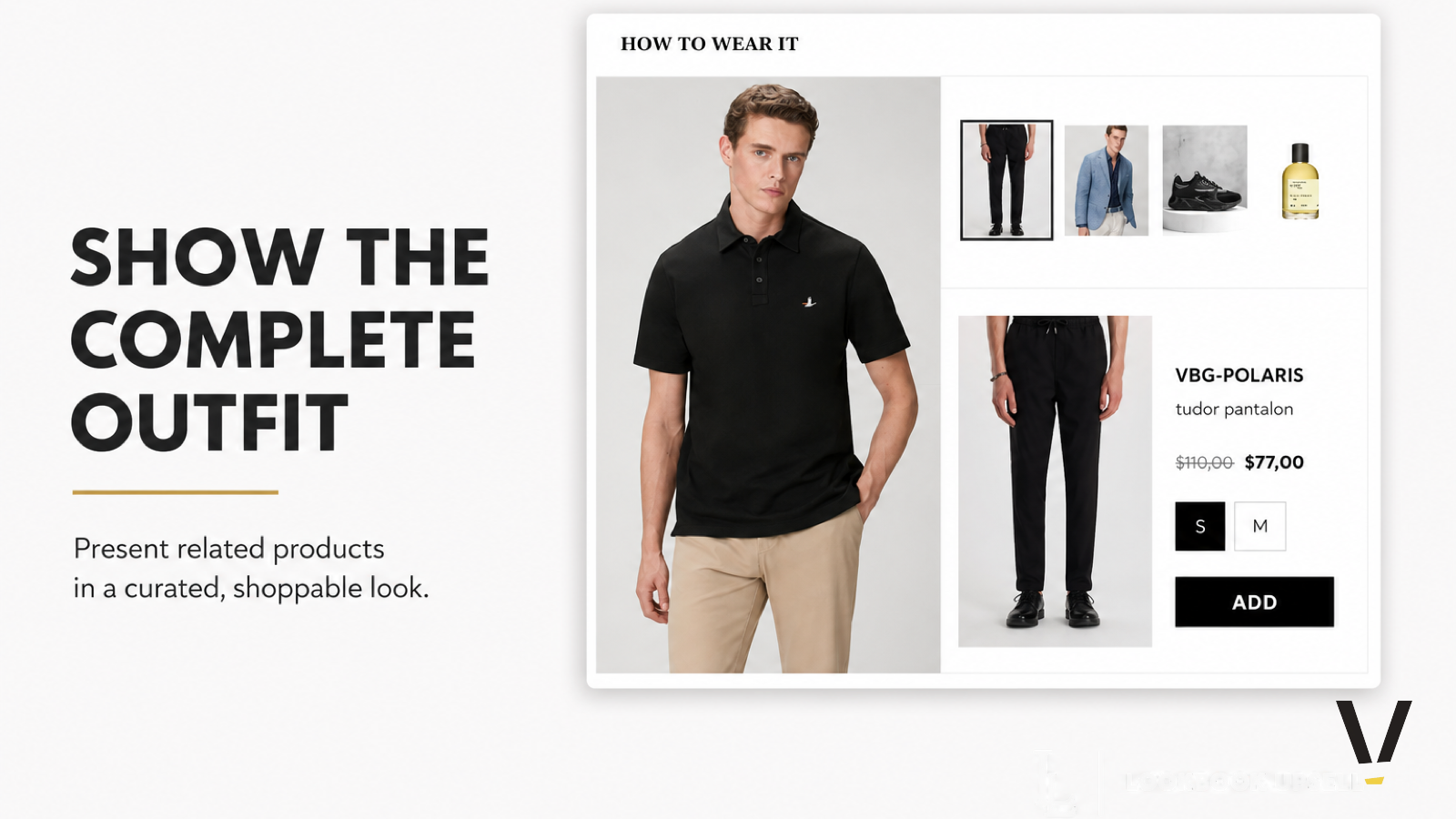
Show the complete outfit in a curated, shoppable look.
On the product page, shoppers see a hero image alongside supporting-item thumbnails, variant selectors, and discounted pricing. One tap adds the selected pieces to cart—turning product detail pages into discovery surfaces that increase basket size without leaving the page.
Mobile ready
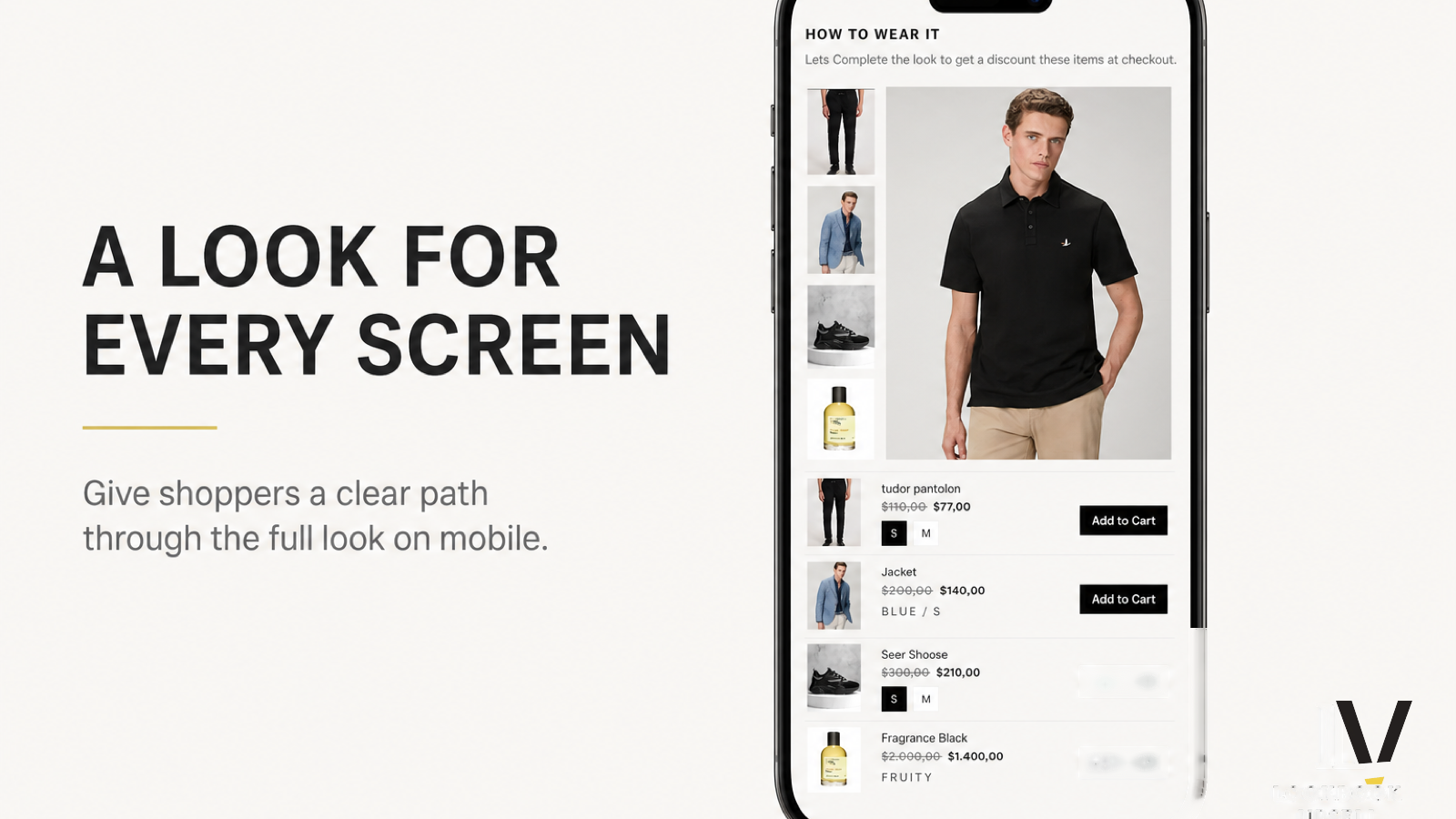
Deliver the same shoppable experience on phones and tablets.
Lookbook layouts adapt to smaller screens with touch-friendly thumbnails, variant pickers, and add-to-cart actions. Mobile shoppers browse the full outfit, select supporting items, and checkout with upsell discounts applied—without a separate mobile theme build.
Editorial layouts
Choose featured or luxury editorial templates that match your brand.
Switch between layout presets—from clean featured grids to luxury editorial presentations inspired by high-end fashion retail. Pick the structure that fits how you merchandise, then fine-tune copy and styling so every lookbook feels on-brand out of the box.